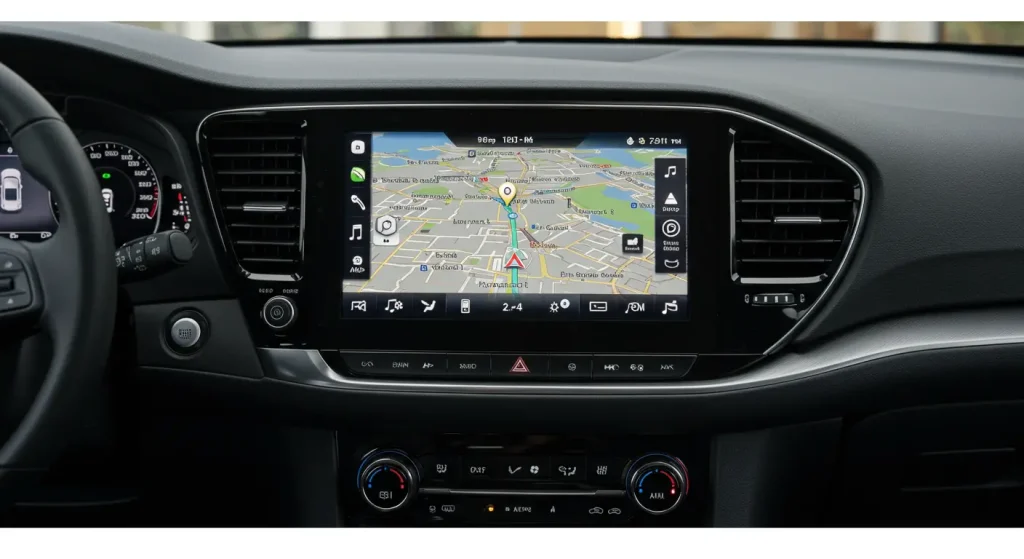
Staying on the right path is easy when your car’s navigation system works well. But if it’s outdated, it might show the wrong directions or miss new roads. That’s why it’s important to keep it updated.
To update the navigation system in a car, start by checking the current version of your system. Then visit the car brand’s official website to download the latest map or software update. You might need a USB drive or SD card to transfer the update from your computer to your car. Some newer models can update over Wi-Fi. Once the files are loaded, follow the instructions on your car screen to install. That’s how simple it is to update the navigation system in car.
Steps To Update the Navigation System in a Car
Here are the quick steps to update the navigation system in the car:
Step 1: Find Your Current Navigation Version
Start your car and go to the navigation menu. Look for “About,” “System Info,” or “Settings.” There, you can find the current version of your map or software.
Write it down or take a picture with your phone. You’ll use this to compare with the latest version available online.
Knowing your version helps you know if an update is even needed.
Step 2: Go to the Official Website
Next, visit the official website of your car’s brand. For example, if you drive a Toyota, go to the Toyota website. Most brands have a page for navigation updates.
Look for a section called “Support,” “Navigation Updates,” or “Map Updates.” Type in your car’s make, model, and year. Some sites may ask for your VIN (Vehicle Identification Number).
This page will show if there’s a new update for your system.
Step 3: Download the Update to a USB or SD Card
If there’s an update available, you’ll need a USB drive or SD card with enough space (usually 8GB or more). Follow the steps on the website to download the update to your computer.
- Plug your USB or SD card into your computer.
- Use the software from the website to install the update files.
- Wait for the download to finish (this might take some time).
After that, you’re ready to bring the update to your car.
Step 4: Install the Update in Your Car
Now, start your car and plug the USB or SD card into the proper port. The car should detect the update automatically.
You’ll see a message asking if you want to install the update. Choose “Yes” and follow the on-screen instructions. Don’t turn off your engine or remove the USB during the update.
The process can take up to an hour. When it’s done, your system will restart, and the new maps will be ready.
Can You Update a Car Navigation System Using Wi-Fi?
Yes, if you have a newer car model, your system might support updates over Wi-Fi. This means you don’t need a USB or computer.
To check, go to your car’s settings and see if there’s a Wi-Fi option. Connect to a secure network and look for “Software Update” or “Map Update.”
Click on “Check for Updates.” If one is available, the system will download and install it automatically. This is the easiest method for updating, but it depends on your car model.
Why Should You Update Your Car’s Navigation System?
Navigation systems help you get to your destination faster and easier. But if the system is old, it might not show new roads, traffic changes, or updated speed limits. This can waste your time or even lead you the wrong way.
An updated system gives you better driving directions. It also helps your GPS work faster and more accurately. Some updates even fix bugs or add new features to the system. Keeping your maps and software up to date helps you drive safer and smarter.
If you’re also planning a car modification, keeping your navigation up to date can enhance the value and usefulness of other upgrades like new screens or entertainment units.
Final Words
Keeping your navigation up to date helps you drive smarter and reach your destination without trouble. It’s easy to do and doesn’t take much time. First, check your current version. Then go to the car brand’s website to download the latest update. Use a USB or SD card to transfer the files, or use Wi-Fi if your car allows it. Follow the steps carefully, and your maps will be updated in no time.
That’s the best way to update the navigation system in a car and make sure you never get lost again.
Need more help with car care or repair? Get expert car repair services at Al Zaabi Autocare today!